
Composite Brush
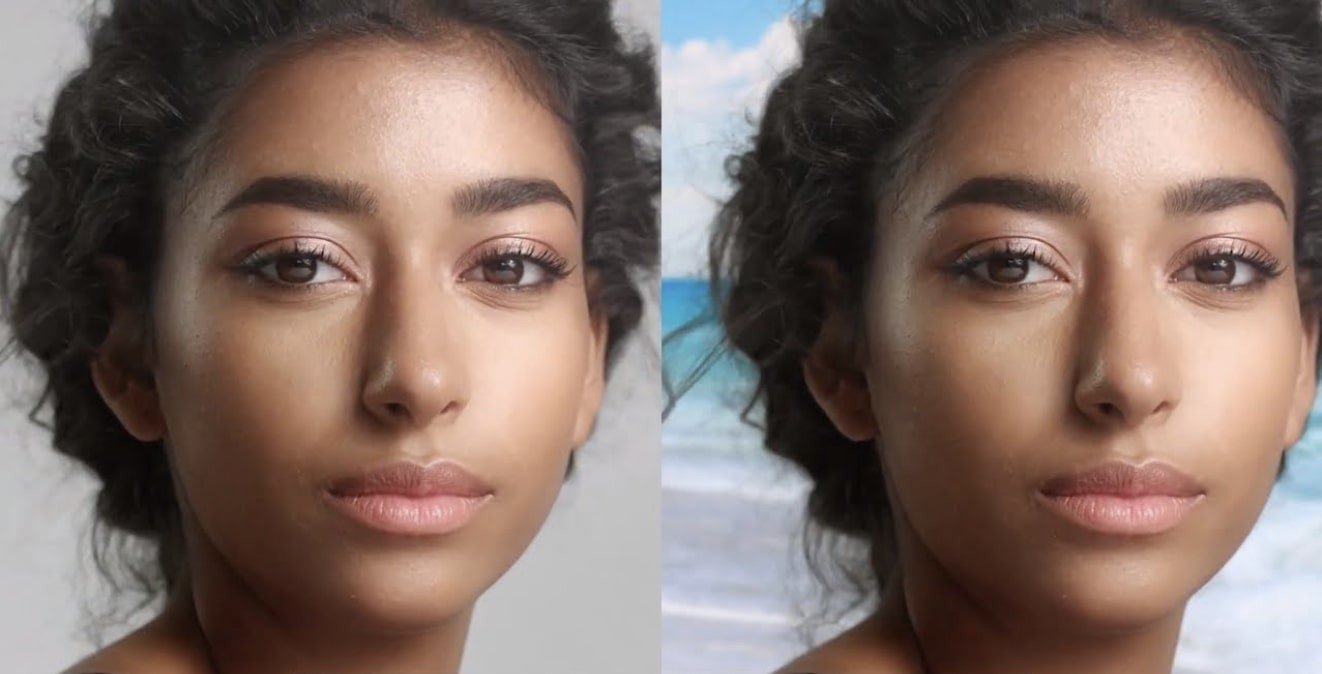
Description
Composite Brush is a precise and easy-to-use color selector and modifier for After Effects, offering professional-grade selection capabilities on Mac. Effortlessly make selections with just a few strokes, modify colors, or extract keys using the effect—all optimized for the macOS environment. Explore an extensive suite of tools with Composite Brush mac for After Effects:
-HSV Color – Copies the hue from the transfer mode, and doubles both the saturation and luminance from the transfer mode color to the selection, allowing significant shifts in the selected region.
-Hue – Directly transfers the hue from the transfer mode color to the active selection, making targeted color adjustments seamless.
-Saturation – Copies transfer mode color’s saturation to the selection area, resulting in vivid and accurate saturation control.
-Luminance – Applies the transfer mode’s luminance value to the selection, multiplying brightness by 2 for extra enhancement. A setting of .5 keeps brightness unchanged, higher values brighten the selection, lower values darken it.
-Normal – Copies the transfer mode color into the selection. “Increase Alpha Channel” raises the selection’s alpha channel without altering the color, providing greater control over transparency.
-Stencil Alpha – Removes the alpha channel from the selected area, making quick work of transparency edits.
-Silhouette Alpha – Eliminates the alpha channel beyond the selection, effectively masking areas outside your target.
-Restore Original RGB – Restores original image RGB channels within the active selection for precise undo or blending operations.
-Restore Original RGBA – Recovers the entire image's original RGBA channels within the selection for comprehensive restoration.
Modes available in Composite Brush download for Mac:
-Hair v1.3. Mode – This mode allows only one positive selection but multiple negative selections (click to assign positive, Alt-click for negative). It’s expertly built for ultra-soft transitions when selecting hair, glass, smoke, fire, and more. For multiple positives, reload the plugin to reset. Focus on semi-transparent values for the best results, and minimize negative selections (Alt-clicks) to keep the key soft and workflow fast.
-Precision – Sometimes selected and unselected colors are visually similar. High precision settings (up to 100) ensure exact keying, distinguishing between close hues. Low precision will automatically remove a selected color (by Alt-clicking), or deselect a nearby color. If your matte is difficult to adjust or too harsh, lower the precision for more flexibility and refine with multiple clicks and drag actions.
-Matte High Level – Crops the alpha values at the top, functioning like Levels for the alpha channel. When using soft matting, set this to 90 or 95: lower values will let you achieve results quickly without excessive selections.
-Matte Low Level – Locks in the lowest alpha channel values for even finer control over transparency edges.
-Matte Blur – Controls selection matte blur intensity. Note: Only integer values are currently supported. As a workaround, use transfer modes with adjusted alpha or turn to built-in blur and throttling controls for more detailed adjustments.
-Matte Choke – Expands or constricts matte boundaries, functioning similarly to “Simple Matte Choker” in After Effects for Mac, allowing you to fine-tune edge softness or hardness.
-Hard Matte Gamma – Only works when “Matte Type” is set to “hard”; it adjusts the gamma of the selection matte, giving detailed output controls in hard matting workflows.
With Composite Brush for Mac, users experience exceptional control in After Effects, from quick everyday selections to complex composite work, all within a workflow tailored for macOS. Enhance your project with Composite Brush after effects and see professional results, ensuring your creative control and precision every step of the way.
Frequently Asked Questions
You May Also Like
Reviews & Comments
No comments yet. Be the first to share your thoughts!