Plugin Alliance Brainworx bx_masterdesk PRO
Description
Plugin Alliance Brainworx bx_masterdesk PRO is a versatile mastering plugin, expertly crafted by Brainworx and distributed through Plugin Alliance, specifically tailored for Mac users. This powerful tool is an emulation of a high-end analog mastering system, delivering an intuitive interface that empowers even newcomers to quickly achieve professional-quality mastering results on their Mac systems.
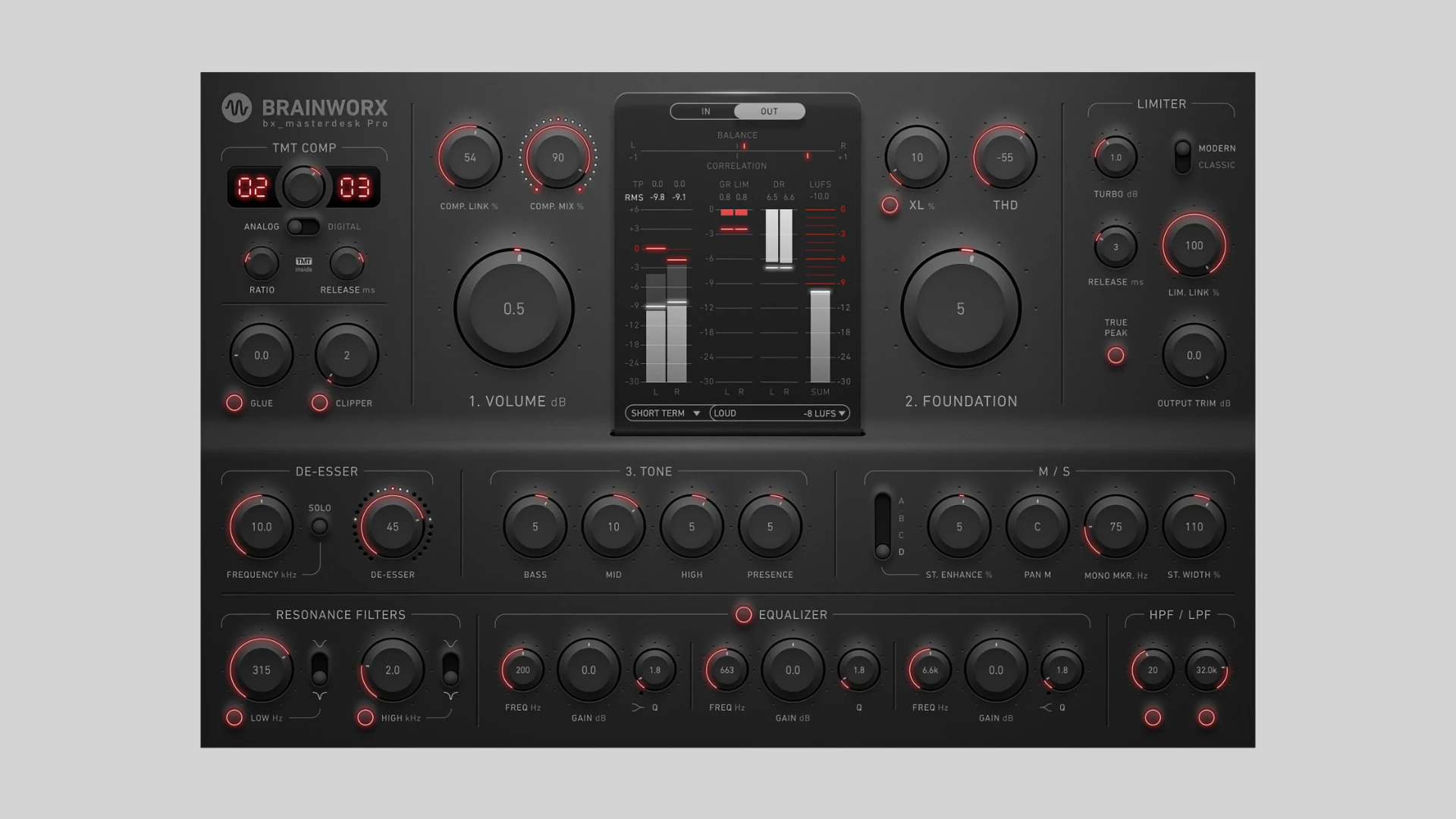
The brainworx bx_masterdesk pro plugin maintains a straightforward three-step workflow (Volume, Foundation, Tone), further enhanced with advanced options like a two-band equalizer, refined dynamic processing (Glue and Clipper), state-of-the-art stereo enhancement capabilities, and XL saturation. This structure allows both novice and experienced users to navigate the mastering process efficiently and with full creative control.
With plugin alliance brainworx bx_masterdesk pro mac, you also benefit from the True Peak limiting algorithm taken directly from bx_limiter True Peak, delivering transparent peak control that meets the standard requirements of modern streaming platforms. The plugin is ideally suited for mastering applications, drum bus processing, and subgroup work on elements such as drums or vocals, making it a comprehensive mastering solution for Mac.
Key features include:
• Three-step workflow: Manage Volume, adjust tonal Foundation, and shape the overall Tone for instant track enhancement.
• Advanced dynamic processing:
– Glue: Adds VCA-style analog compression for mix cohesion.
– Clipper: Efficiently trims transients above 0 dBFS to increase loudness.
• 3-band parametric EQ: Enhanced frequency ranges for detailed tone adjustment.
• Filters: Includes high-pass, low-pass, and two resonant bands with adjustable Q.
• XL Saturation: Introduces 3rd and 5th order harmonics for analog warmth and additional perceived loudness.
• M/S and stereo enhancements: Tools like Mono-Maker, StereoWidth, Mid Signal Panorama, and Stereo Enhance give precise control over stereo imaging.
• TMT (Tolerance Modeling Technology): 10 unique channels with authentic analog sonic variation (US Patent No. 10,725,727).
• De-Esser: Integrated de-esser to tame harsh high frequencies and ensure polish.
• Meters: True Peak, LUFS (Short Term and Momentary), stereo balance, and correlation meters for professional-level monitoring.
All these features make the plugin alliance brainworx bx_masterdesk pro download a top choice for mastering on Mac, offering unrivaled sound-shaping capabilities and an intuitive user experience for every audio production workflow.
Frequently Asked Questions
You May Also Like
Reviews & Comments
No comments yet. Be the first to share your thoughts!