Pulsar Audio Pulsar Mu
Description
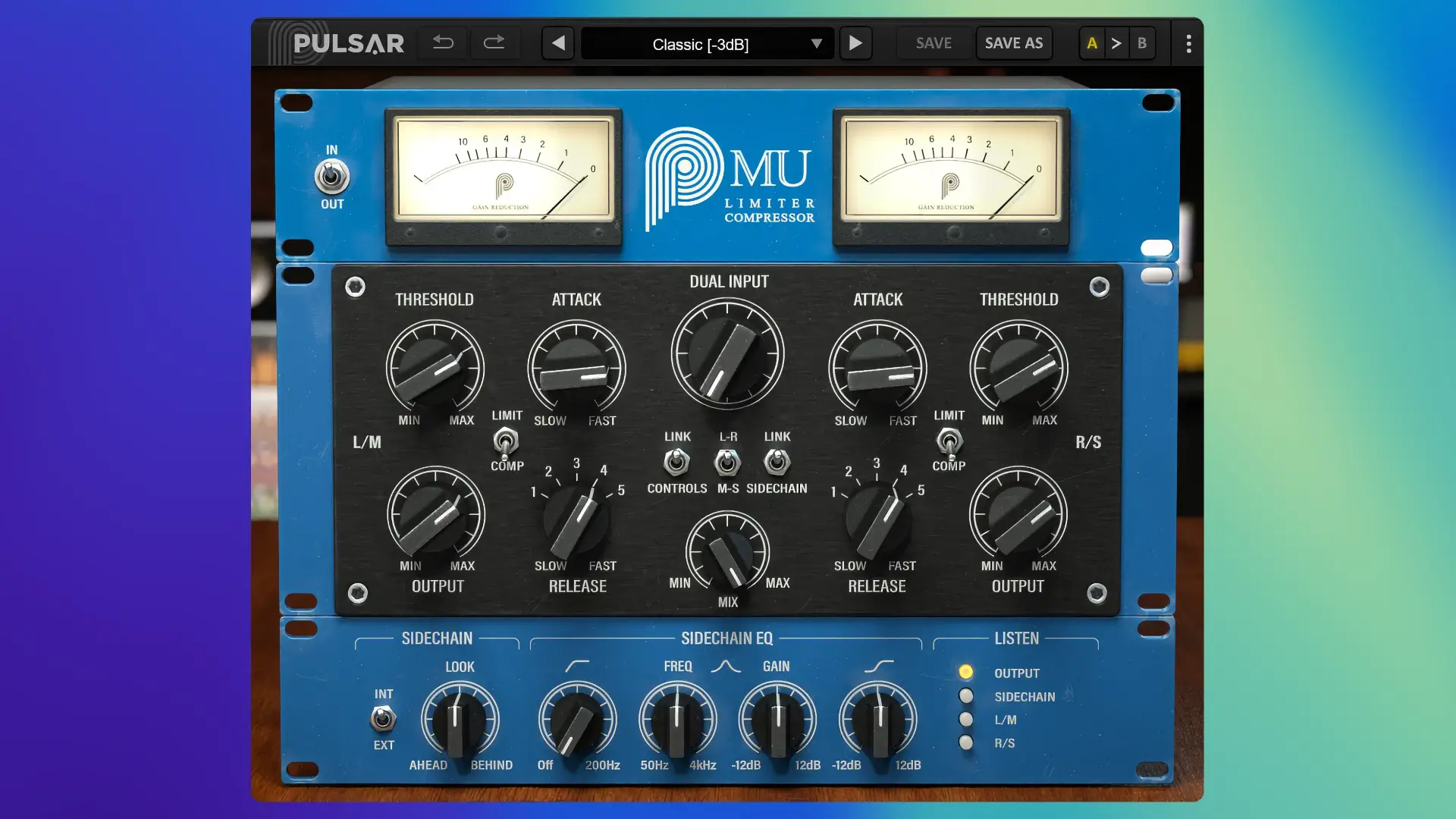
Pulsar Audio Pulsar Mu is a compressor/limiter plugin for Mac that faithfully emulates the legendary variable-bias tube compressor, renowned for its extensive use in mixing and mastering studios worldwide. This plugin is celebrated for its extraordinary transparency and its capability to impart a signature “glue” effect to buses, mixes, and masters, allowing your Mac-based productions to achieve a polished, coherent sound.
Thanks to Topology Preservation Technology, Pulsar Audio Pulsar Mu accurately replicates the analog warmth and character of vintage hardware. This innovative technology models the precise behavior of tubes, transformers, and magnetic saturation, ensuring every nuance of authentic analog coloration is delivered in your Mac environment.
Key features include:
- Transparent Compression: Maintains the natural dynamics of the audio source—even at extreme settings—unlike typical FET or VCA compressors.
- Operating Modes: Offers both stereo (Left/Right) and Mid/Side modes, making Pulsar Audio Pulsar Mu a versatile solution for mastering and stereo image processing on Mac.
- Flexible Sidechain: Features a fully enhanced sidechain EQ section with four dedicated controls, allowing you to fine-tune the frequency response to low, mid, and high bands, and supports external sidechain input for advanced tasks such as ducking or de-essing.
- Look-ahead and Look-behind: An innovative option that enables the compressor to react before or after the signal appears, providing flawless limiting for sensitive Mac-based workflows.
- Visualization: Includes an accurate emulation of original SIFAM meters plus a modern display mode showing real-time waveform and gain reduction, so you always have clear visual feedback on your Mac.
Applications:
- Mastering: Adds high-end polish and glue to your mix, supplying analog warmth and cohesiveness. Pulsar Audio Mu Plugin can function as a leveller (long attack/release), a compressor (slow attack, fast release), or a limiter (fast attack/release) depending on your requirements.
- Drum Buses: Improves unity and glue, preserving the punch and transients of kicks and toms.
- Acoustic Guitar: Injects a natural groove and lively feel, retaining detail and transient response.
- Vocals: Delivers rich analog warmth, sitting vocals naturally within a Mac-based mix.
- Snare Drums: Enhances body and sustain, maintaining sharp transients for dynamic drum sounds.
Elevate your Mac projects with the classic sound and flexible control of Pulsar Audio Pulsar Mu, designed for professional musicians, producers, and mastering engineers. Experience vintage analog dynamics, advanced sidechain shaping, and precise metering—all seamlessly integrated into the Mac workflow through easy Pulsar Audio Pulsar Mu download and quick setup.
Frequently Asked Questions
You May Also Like
Reviews & Comments
No comments yet. Be the first to share your thoughts!