
OS X Yosemite
Description
Apple has officially released the final version of OS X Yosemite. First introduced at the 2014 WWDC conference, this innovative desktop operating system for Mac is considered one of the most significant upgrades to OS X. mac os x yosemite continues in the direction set by the introduction of last year’s OS X Mavericks, now offering users an even clearer interface and a wider range of powerful features inspired by iOS. While Mavericks brought familiar iOS apps such as Maps and iBooks to the Mac, Apple now promises that both platforms are designed for seamless cooperation and maximum convenience. The flat design, translucent panels, and the departure from gradients and textures as seen in iOS 7 are also present in OS X Yosemite, significantly modernizing the appearance of the desktop platform. Application icons have adopted a new, minimalist and flatter design, while the app dock and window edges have sharper lines for a more defined look.
The Notification Center has been expanded with a brand-new “Today view” mode, providing quick access to your calendar, reminders, weather, stocks, social media updates, and more—all in one quickly accessible location. Apple notes that these features will be further extended by third-party widgets that users can conveniently download from the App Store. The universal search tool Spotlight has evolved into a key feature of the system—now it appears prominently in the center of the desktop, offering improved usability and search functionality.
One of the standout improvements in OS X Yosemite is iCloud Drive, a new service that provides complete access to all files stored in the user's iCloud account directly through the Finder file browser. Users can view files stored in the cloud, organize documents into folders, assign tags, and search for content using Spotlight, just as they would with any other file type. All files stored on iCloud Drive seamlessly sync across OS X, iOS, and even Windows, ensuring consistent access no matter the device.
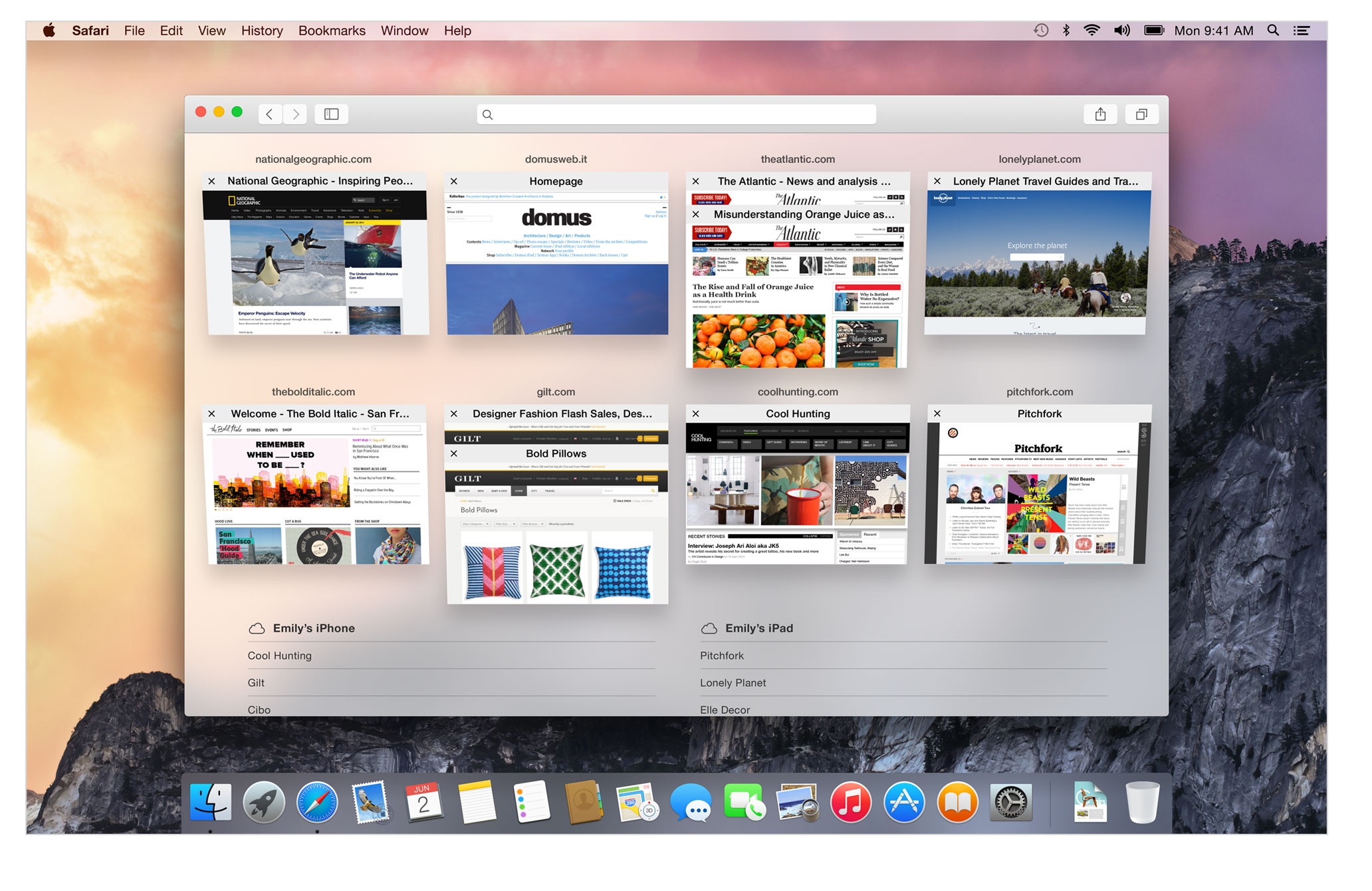
Safari has received a substantial overhaul, sporting a cleaner and clearer user interface alongside enhanced search integration. Apple claims that the updated browser now runs JavaScript faster than any other browser currently available, boasting up to six times the speed of Firefox and five times that of Chrome on standard web pages. Support for web standards in Safari has also been broadened, with added capabilities for WebGL, SPDY, and HTML5.
OS X Yosemite also introduces robust AirDrop support between OS X and iOS devices. Users can now instantaneously transfer images and other data between their mobile devices and desktops without the need for cables. Finally, the new Handoff technology allows users to start working on a Mac and then continue on an iPhone or iPad— or the other way around—enabling truly integrated workflow experiences. With comprehensive features and integration, os x yosemite download brings a more unified and refined experience to Mac users, thoroughly optimizing productivity and design.
Frequently Asked Questions
You May Also Like
Reviews & Comments
No comments yet. Be the first to share your thoughts!