KORG Gadget
Description
KORG Gadget is the ultimate all-in-one music production software and plugin suite, specifically designed for Mac. With over 40 compact synthesizers and drum machines—referred to as "gadgets"—you have the freedom to combine them seamlessly to craft your music using a powerful, yet highly intuitive user interface. The KORG Gadget product family features an award-winning iOS version, the robust korg gadget mac edition that integrates all functions and plugins, and a specialized plugin version to use within your favorite DAW on Mac.
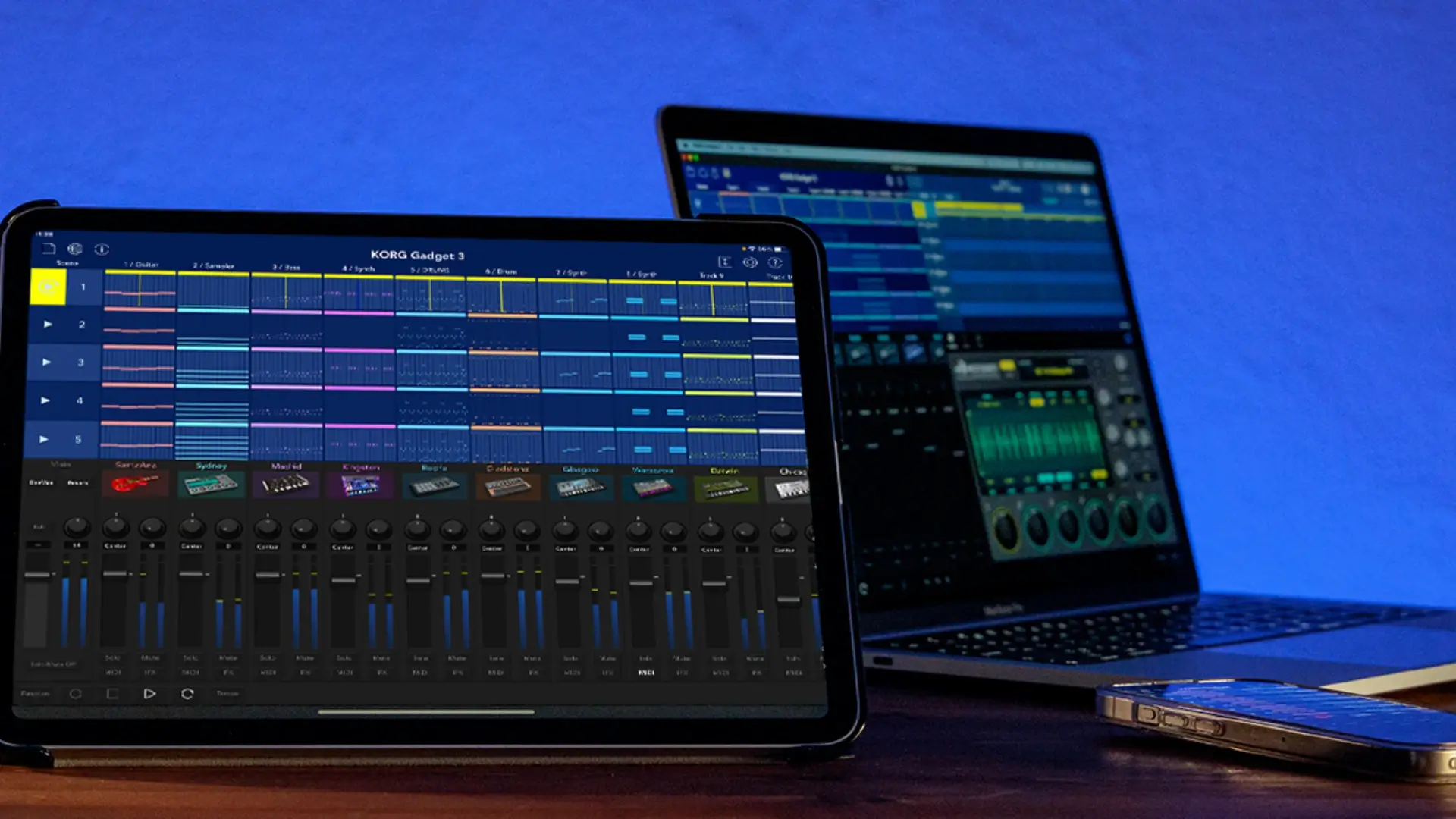
KORG Gadget 3 enhances your creative workflow, now offering even more possibilities to quickly turn your musical ideas into complete tracks. This newest release brings in two innovative devices, five fresh insert effects (IFX), an advanced genre selection system, and extended support for VST3 and AUv3. The user interface has been completely refined—making the gadget browser, IFX page, and playback display even more straightforward and user-friendly. KORG Gadget 3 stands as the ideal tool to realize your musical ideas swiftly and efficiently on macOS.
Santa Ana – the rhythmic guitar machine, and Sydney – the loop sampling workstation, headline the all-new features.
KORG Gadget 3 is now more powerful than ever. With its third-generation release, both the workflow and ease of use have improved substantially, making music creation smoother and more inspiring. The introduction of "Santa Ana" lets every user craft realistic rhythm guitar parts effortlessly, while "Sydney" enables importing and manipulating long samples and loops. Major upgrades like the "Gadget Browser" enhance sound searching, the improved "Playback Page" simplifies scaling menus, and "Genre Selection" allows you to blend preferred patterns before song creation begins.
The IFX section now presents a much-enhanced user interface, with graphic displays for equalization, compression, and a suite of sound settings. Five new effects have been added, including an 8-band EQ, a transient shaper, a stereo enhancer, an auto-ducker, and a pitch shifter. These additions offer expanded creative possibilities tailored for Mac-based music producers.
Enjoy a massive collection of more than 40 gadget instruments—delivering extraordinary sound, a highly engaging yet intuitive interface, and unprecedented innovation. The korg gadget download experience lets you access a variety of synthesizers, drum machines, samplers, and advanced audio and MIDI utilities. Comprehensive parameter controls make finding the right sound effortless and immediate. The new sound browser helps you locate favorite presets within moments. From dance to rock, pop, jazz, and everywhere in between, KORG Gadget 3 ensures you have the right sonic tools for any genre you wish to produce.
Take your sound to the next level with plugins designed for instant use within your favorite DAW. KORG Gadget 3 is available exclusively as a plugin, bringing the ready-to-use KORG Gadget app experience directly into the DAW environment on Mac. Now with essential support for VST3, these plugins are perfect for modern music creation on macOS. The extensive module suite includes the core gadget collection, all gadgets derived from the acclaimed KORG Module iOS app, ELECTRIBE Wave, iM1, iWAVESTATION, and a range of IAP gadgets. Every purchase includes a full library of ready-to-go sounds and presets.
Supercharge your songwriting ideas with the new "Genre Selection" function. Begin by choosing your preferred genre and sound template, then start composing freely by mixing different patterns. Each 5 x 5 notebook is loaded with gadget-created phrases, enabling instant song writing as you experiment with templates. Start with well-developed tracks and scenes, choose from standard genre packs, and discover a new way to shape your songs—tailored to Mac users.
Seamless compatibility with MIDI controllers makes KORG Gadget 3 exceptionally easy to use. Just connect a MIDI controller that supports the dedicated Korg mode*, and you’ll immediately gain hands-on control over all gadgets, transport, and more, just as if you were working with real hardware—no complex mapping required. For example, connecting the KORG Keystage reveals program and parameter names for each gadget automatically, while nanoKey Studio and nanoKONTROL Studio controllers allow wireless playing and mixing. You can also connect any favorite MIDI controller, regardless of built-in modes. Find the MIDI device that inspires your creativity and discover a faster, more enjoyable workflow on your Mac with KORG Gadget 3.
Frequently Asked Questions
You May Also Like
Reviews & Comments
No comments yet. Be the first to share your thoughts!