
Shortery icon

Shortery

Automation , Programs

Description

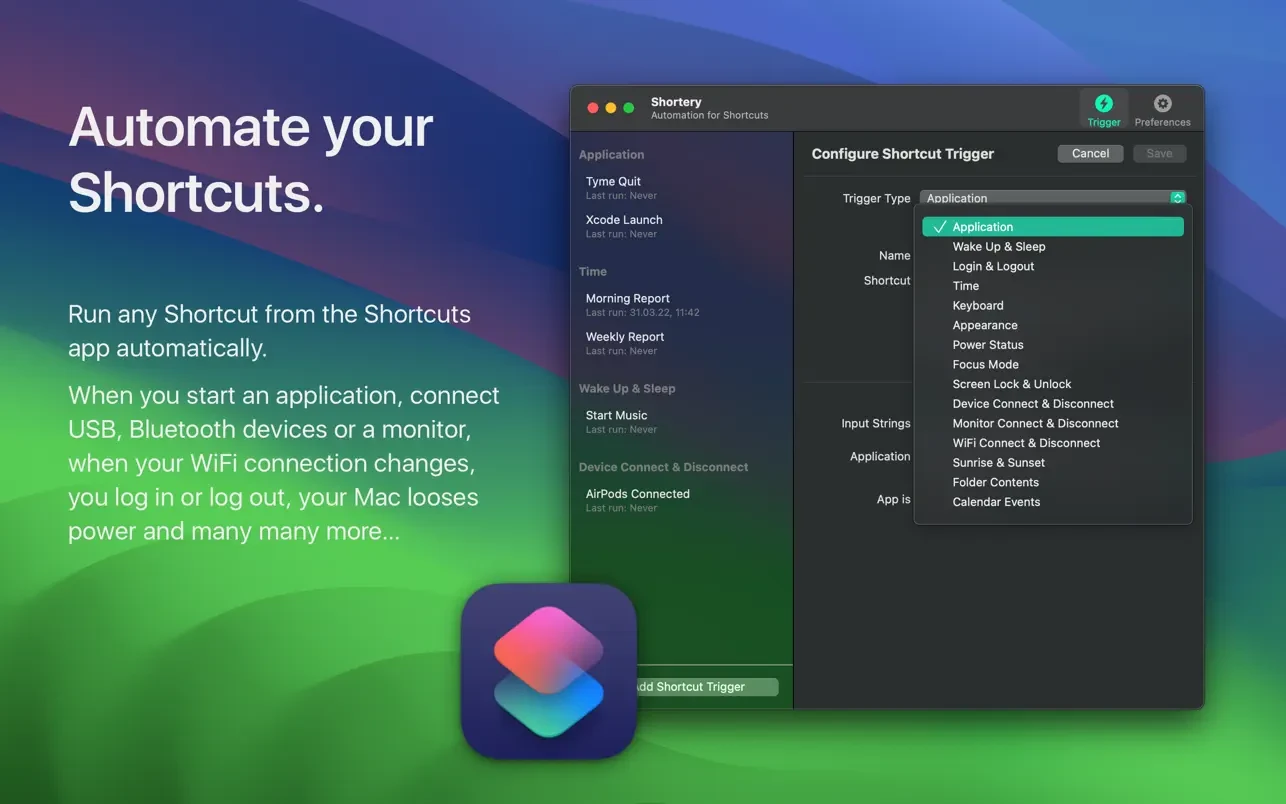
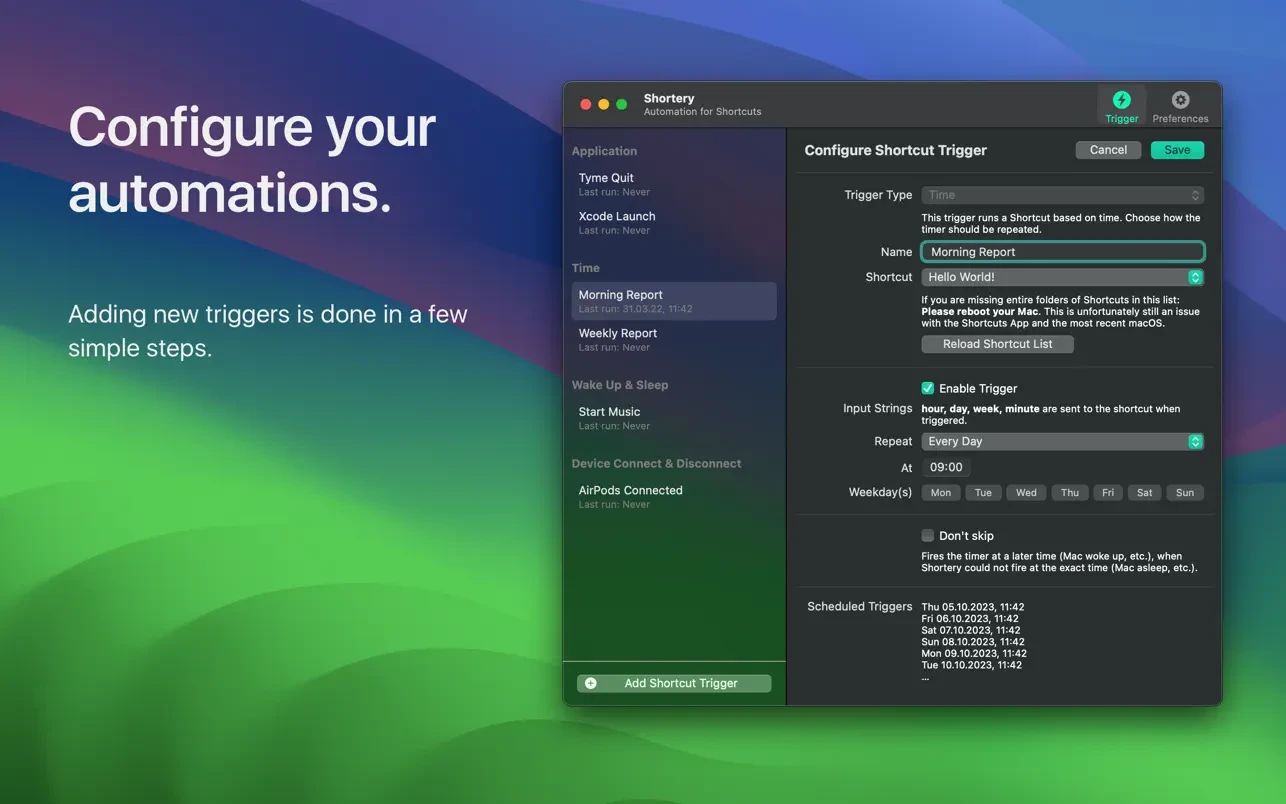
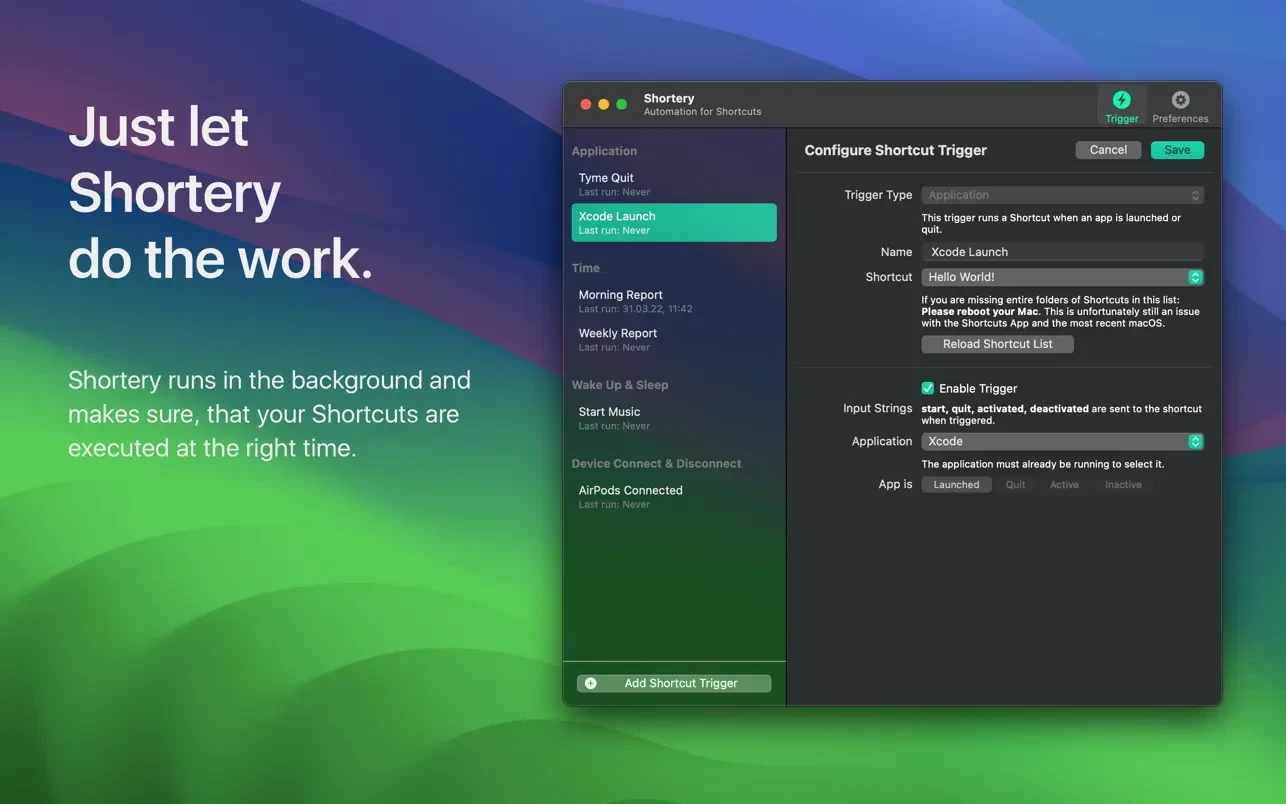
Shortery for macOS is a user-friendly app designed to automate repetitive tasks and provide instant access to frequently used actions through customizable keyboard shortcuts (hotkeys) and advanced automation features. With Shortery, Mac users can enhance their workflow and productivity using an intuitive interface that makes process automation simple and efficient.

Main features include:

- Creating custom hotkeys to launch apps, scripts, or actions, allowing you to start applications or perform tasks instantly.

- Automating recurring tasks such as form filling or sending messages, reducing the time spent on manual operations and boosting efficiency.

- Seamless integration with core macOS system functions, including opening files, managing windows, and performing other frequent system operations.

- Full support for AppleScript and JavaScript, enabling the creation of advanced and complex automation scenarios for power users who demand flexibility and control.

- Quick access to your most-used actions via a convenient panel or personalized keyboard shortcuts, ensuring essential actions are always just a keystroke away.

Shortery mac gives you a powerful suite of tools to personalize your daily Mac experience. For those looking to enhance efficiency, streamline workflows, and automate more, Shortery app stands out as a versatile solution. Try shortery download and discover all the ways it can transform your daily Mac routine.


Frequently Asked Questions

Is Shortery free?
Please check the developer's website for current pricing information.
The program is damaged or the file isn't working? Are there other problems?
Please read the installation instructions on the Download page carefully before proceeding. Additional help can be found in our article: Errors when installing applications on a Mac.
How do I update the app? Will my activation be affected?
Official updates can break activation unless the installation guide states otherwise. Download the latest version and install it over the existing one — this typically preserves your settings and activation.
How do I get the file? The download link isn't working. What does a .torrent file mean?
For large files, using a dedicated download manager like FDM is strongly advised. Chrome or a download manager handles file hosts much better than Safari. If the file ends in .torrent, you will need a torrent client such as Transmission.
A newer version is out. When will the site be updated?
The site administration does not create or patch software. Updates are submitted by independent contributors when ready.
Can I request an application? Where do I submit requests?
Neither the administration nor the editors build or patch software themselves. You can support the project and submit app requests through donation comments.
How can I switch the interface language?
Go to System Settings → General → Language & Region → Applications → "+", pick the app, then choose your preferred language. For Adobe products, language is typically selected during installation.
What is the right way to remove an app?
Use a dedicated tool such as App Cleaner & Uninstaller for a thorough cleanup. For Adobe software, the Creative Cloud Cleaner Tool ensures a fully complete removal.
Looking for assistance?
Paid remote support is available on the site (through AnyDesk, Zoom, or Skype) to guide you through installing apps on Mac or PC.

You May Also Like


Reviews & Comments

No comments yet. Be the first to share your thoughts!