
Video Cut&Crop&Join
Description
A convenient all-in-one tool for video cut, crop, and join on Mac. With this video cut crop join mac application, you can quickly trim out interesting video clips from your recordings, compress them into smaller sizes, convert them to a variety of formats, and easily share them on your favorite websites.
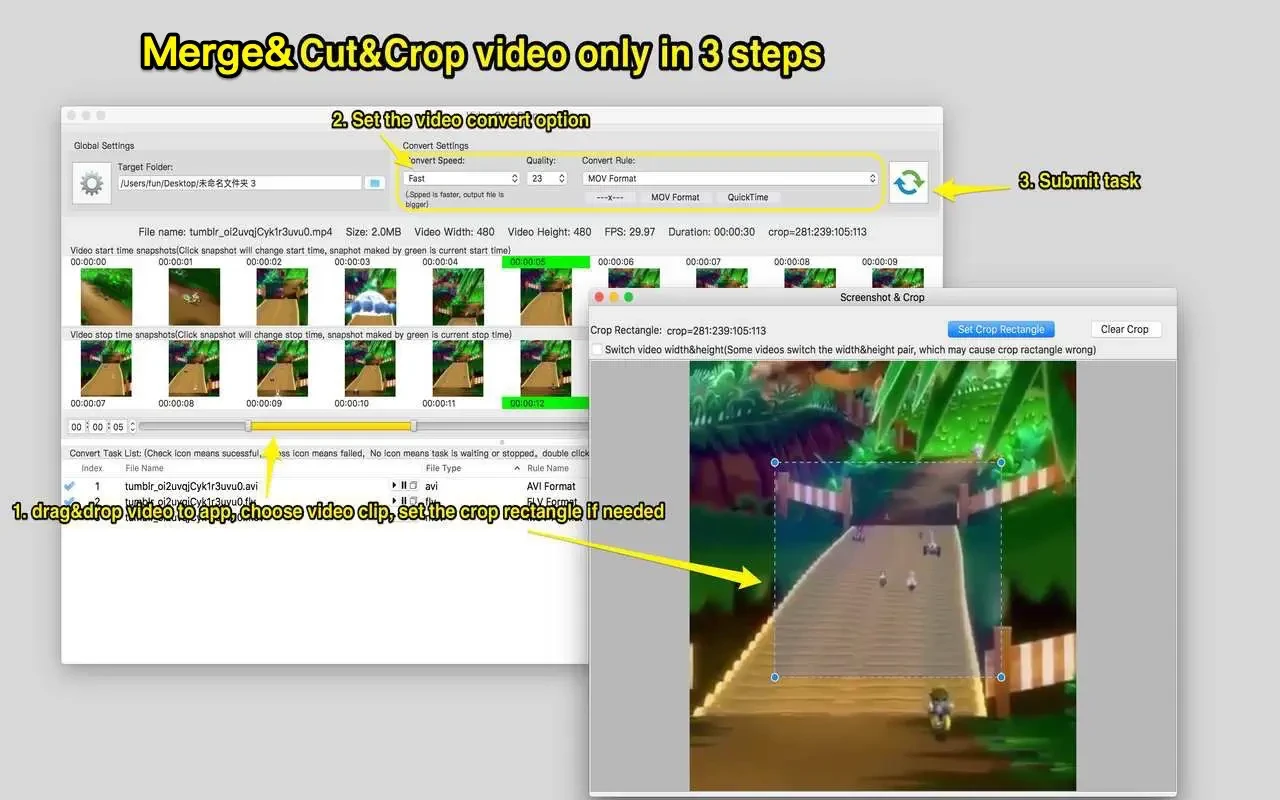
How to Use: 1. Cut Videos. Step 1: Drag and drop your video file into the app’s snapshot viewer—your video will be automatically recognized. Step 2: Select the desired clip and choose your preferred video conversion option. Step 3: Hit the "Send" button to submit your cutting task.
Merging Video Clips: Step 1: Use the initial “Cut Videos” steps. Step 2: Select the video clips you wish to merge. Step 3: Right-click the task list and select the "Merge videos" menu—this combines your selected clips smoothly.
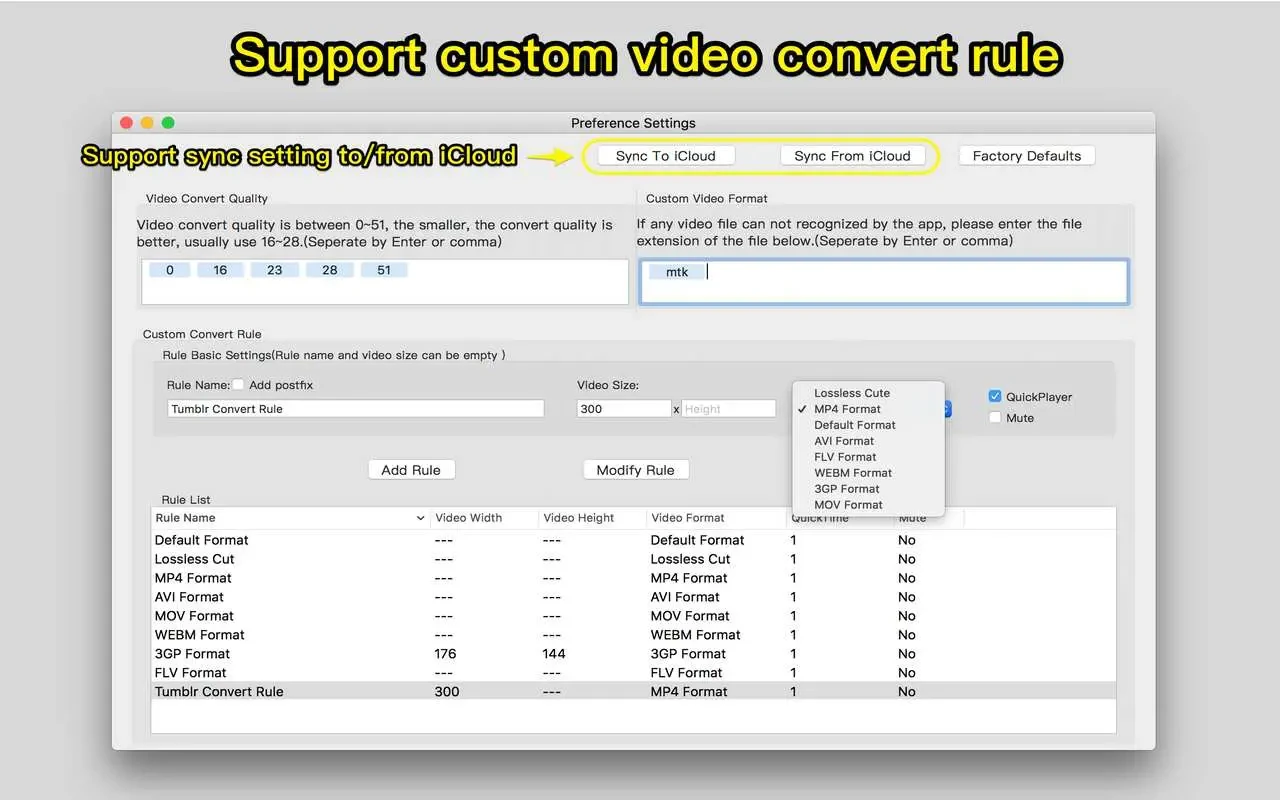
Features: 1. FFmpeg-based engine for extremely fast cut, crop, and merge operations, with support for virtually all widely-used video formats. 2. Intuitive and powerful video clip selection. 3. Support for frame cropping, drastically reducing the output file size. 4. Extensive video conversion, iCloud sync support. 5. Batch conversion support for processing multiple tasks at once. 6. Integrated robust and efficient FFplay—right-click any video segment to play from the snapshot time stamp, assisting you in selecting clips with high precision. All these make the video cut crop join app perfect for any Mac user looking for advanced video editing functionality.
Frequently Asked Questions
You May Also Like
Reviews & Comments
No comments yet. Be the first to share your thoughts!